CAN Real-time Embedded Platform
CAN Real-time Embedded Platform (CREP) is a software suite to simplify development of embedded systems which uses CAN bus for communication, diagnostic and logging. CREP will handle the boring but needed functionality that the end customer don’t see; so you can focus on application logic which gives customer value!

Modular design
CAN communication, diagnostic and NVM storage are the main components. Then add communication protocols like UDS, J1939 or CANopen. Use built-in scheduler or external like FreeRTOS.

Configurable and easy to build
Configuration is data driven from YAML files and can be edited manually or with GUI. From the configuration both C code are generated together with documentation for e.g. diagnostic and UDS. Build the complete binary for MCU with minimal CMake/Ninja build-system or integrate with own build-system.

Real-time logging and diagnostic
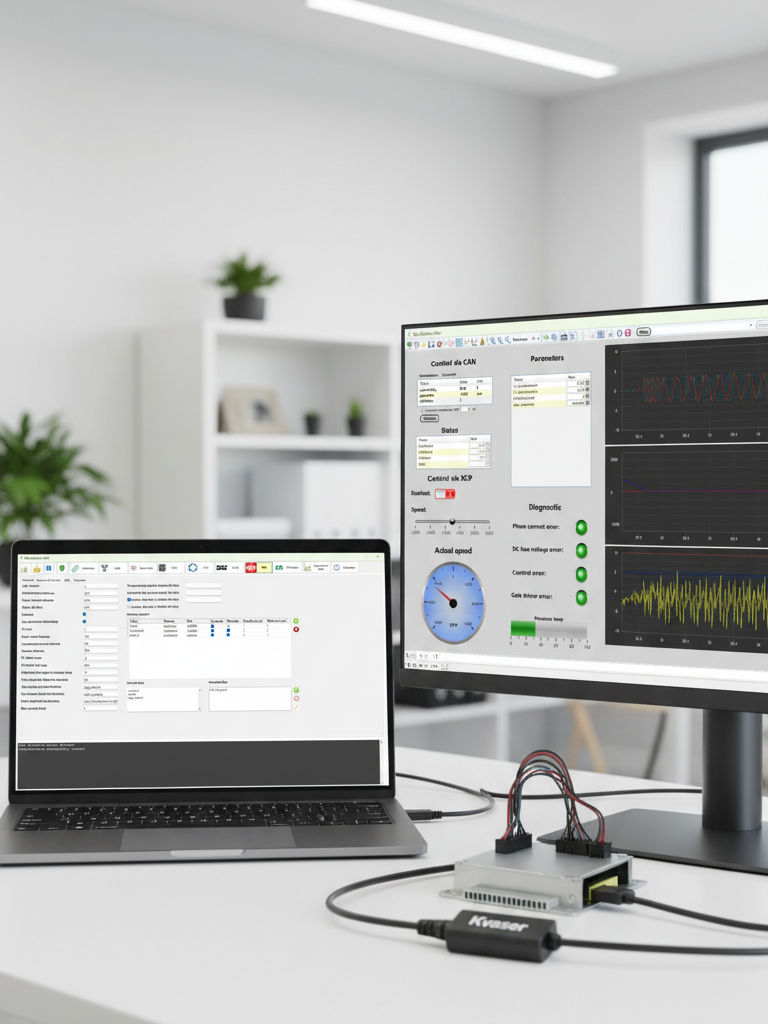
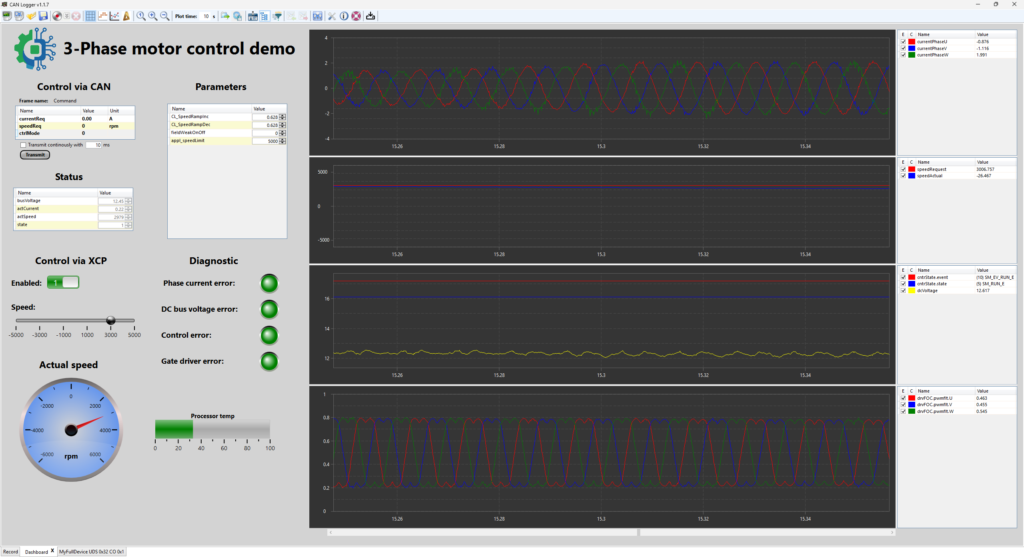
With CAN Logger it is possible to log signals, change parameters, read diagnostic events and programming. It supports XCP, UDS, CANopen, DBC and can also design own dashboard with mix of e.g. plotters, sliders, buttons and gauges.
Configuration
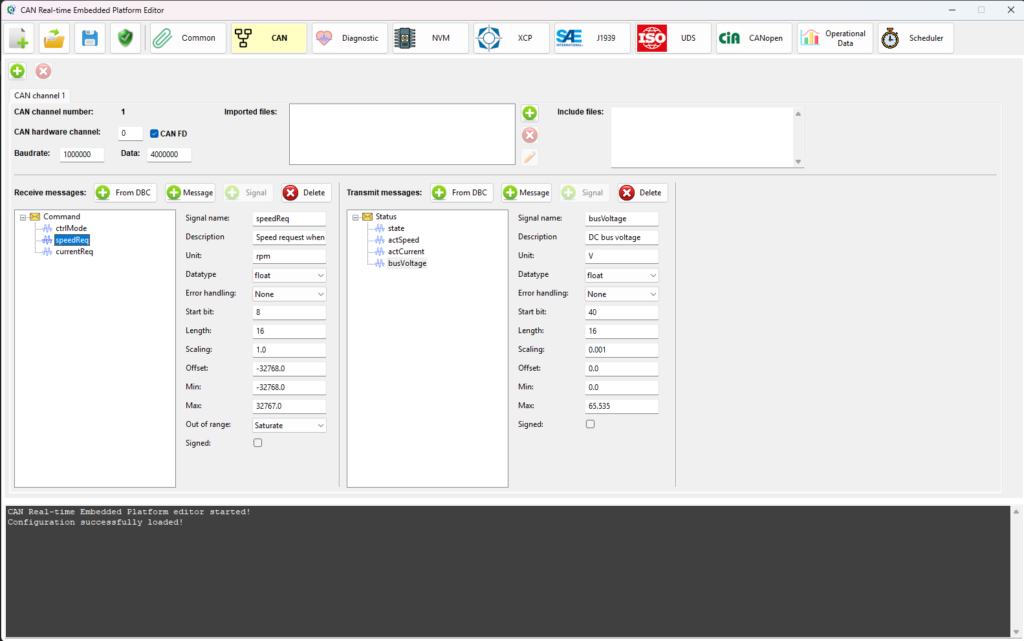
An intuitive and user friendly GUI can be used to select which modules to use and to configure them. It gives help with tool-tips and validates the configuration before it is saved. In the background the configuration is a number of YAML files which can be edited manually if that is preferred.
During the build process C files will be generated from the configuration.
If changes are needed in run-time then a C API’s can be used to e.g. change CAN id of a message or make XCP read-only.
Integration
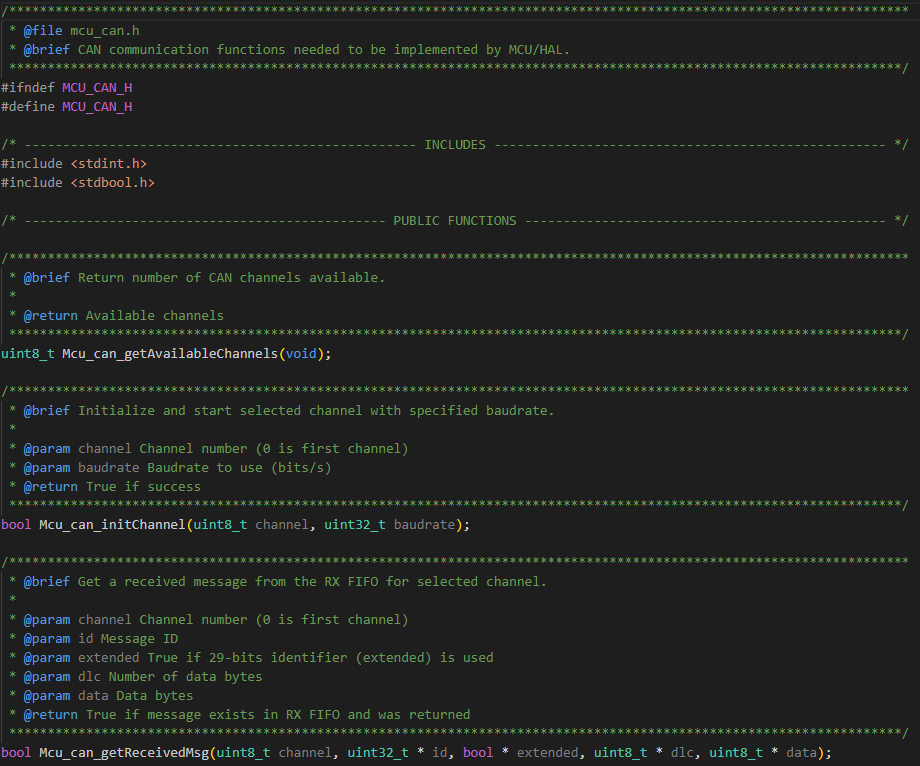
The platform is processor independent which means that the driver for e.g. CAN and NVM isn’t provided with the platform. A set of header files specifies which functions needs to be implemented to integrate the platform with the processor.
Processor drivers are needed for:
- CAN
- NVM (EEPROM)
- FLASH programming (for boot)
- Reset
- Timers and software interrupts (for scheduler)
- Ethernet (for XCP over UDP/IP)
Modules

CAN
Controller Area Network (CAN) is a communication standard designed to enable efficient communication primarily between electronic control units (ECUs). It is also used for logging and to read diagnostic information. CAN is the base for protocols like UDS and CANopen. CAN FD with up to 64 bytes payload and higher baud-rate is supported as well.

Diagnostic
Diagnostic module to report found errors for e.g. a sensor. Each diagnostic event can be connected to a DTC (UDS/J1939) or EMCY (CANopen).
A reaction can be triggered when an event gets active to e.g. disable the device.
Internal events
Internal events are used to track errors but don’t expose them as proper diagnostic events. It can e.g. be when a null pointer has been passed to a function. An internal event is stored together with a text and line number in file where it occurred, Internal events can be read via UDS and CANopen..

UDS
Unified Diagnostic Services (UDS) is a diagnostic communication protocol used by electronic control units (ECUs) in automotive electronics. It is an ISO standard (ISO 14229) and normally used CAN bus for communication. With UDS protocol the ECUs Diagnostic Trouble Codes (DTCs) be be read/cleared, log internal variables and reprogram the device.

J1939
J1939 is a SAE communication standards for heavy-duty vehicles (trucks, buses, agriculture, construction) that defines how Electronic Control Units (ECUs) talk to each other over CAN bus. It is possible to read/clear Diagnostic Trouble Codes (DTCs).

CANopen
CANopen is a high-level, standardized communication protocol for embedded systems over CAN bus. It is mainly used in industrial automation and robotics. The base is the Object Dictionary (OD) which can access e.g. internal variables or parameters. With SDO commands it is possible to read/write to the OD.

XCP
XCP is a Universal Measurement and Calibration Protocol for ECUs. It can be used with e.g. CAN or UDP/IP. It is possible to log internal variables and change parameters. For efficient logging a DAQ list can be configured to stream out its values periodically.
NVM
Non-Volatile Memory (NVM) is used to store data between reset and power down. The data is stored in e.g. EEPROM or FLASH. A small file system makes it possible to add data into different “files” which can be saved or cleared individually.

Operational data
Operational data is crucial for e.g. warrant claims to see how the device has been used. It is stored in NVM to e.g. keep track of total up-time or maximum temperature.The data can be viewed with CAN Logger.

Scheduler
Simple but efficient preemptive priority based scheduler. It can use SW interrupts for tasks which is a multiple of each other to reduce needed timers. Messaging between tasks can be used but is not mandatory. The tasks execution time can be monitored and visualized with CAN Logger.
Boot
Dual boot design with a primary boot (shall not be updated) which starts the secondary boot. The secondary boot manages the update of application via UDS or CANopen. The secondary boot can also update itself. The dual boot design makes the update reliable even if loose power/communication during programming sequence.

Build system
Build system using CMake and Ninja to manage all the different steps needed to generate code, compile/link and generate documentation. If you have your own build system that can be used instead by adding the needed steps for the platform.
Logging and diagnostics
CAN Logger is a separate PC tool for logging, reading diagnostic and programming of ECUs via multiple protocols e.g. UDS, XCP and CANopen.
Support for multiple protocols
With XCP it is possible to log data and calibrate parameters via CAN or UDP/IP.
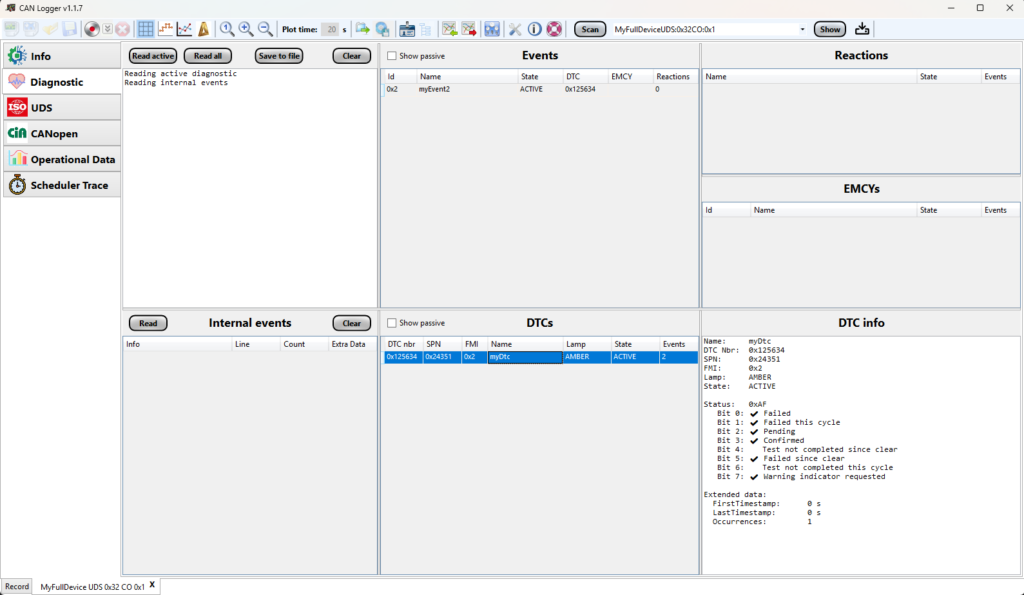
For device using CAN Real-time Embedded Platform, UDS and CANopen can be used to read diagnostic events, DTCs, EMCYs and view scheduler trace.
DBC file can be imported to view received messages and signals.
Programming of devices can be done with UDS or CANopen.
Analyze recorded data
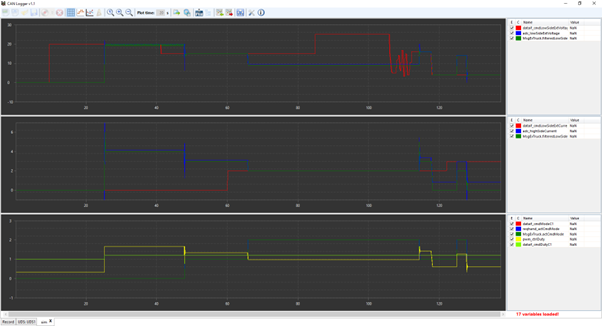
Logged data can be saved (MDF format) which later can be opened for analyze. Multiple plotters can be used and each signal can be scaled individually. Plotter layouts can be saved to get the same scaling, colors etc. for each signal.
Build custom dashboard
Create your own custom dashboard by mixing controls like plotters, gauges, buttons, data lists, texts, images, sliders and LEDs.
CAN trace
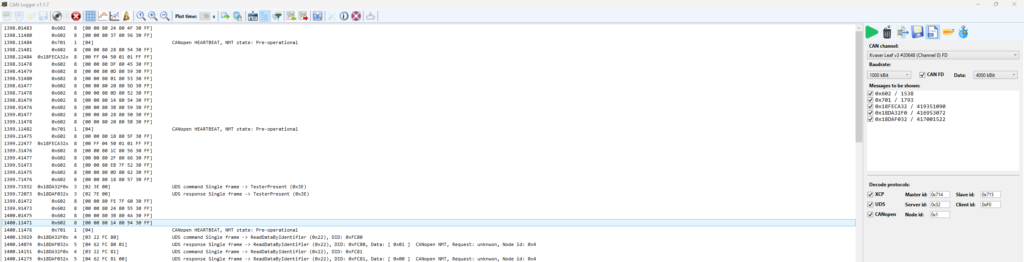
Log all CAN traffic on a CAN bus with possibility to filter selected signals and decode messages for XCP, UDS and CANopen to simplify the analysis. Handles CAN FD frames with up to 64 bytes payload as well.
Contact
If you are interested to test CAN Real-time Embedded Platform or have any questions please send an e-mail to: contact@embeddedplatform.se